IPTV Network Settings: DNS, Wi-Fi and Cable
·6 min read
Blaming internet speed for freezing is easy, but most cases come down to network settings rather than bandwidth. The good part: there are only a few things worth changing on a router, and it is clear which ones work.
First, the myth: you do not need port forwarding
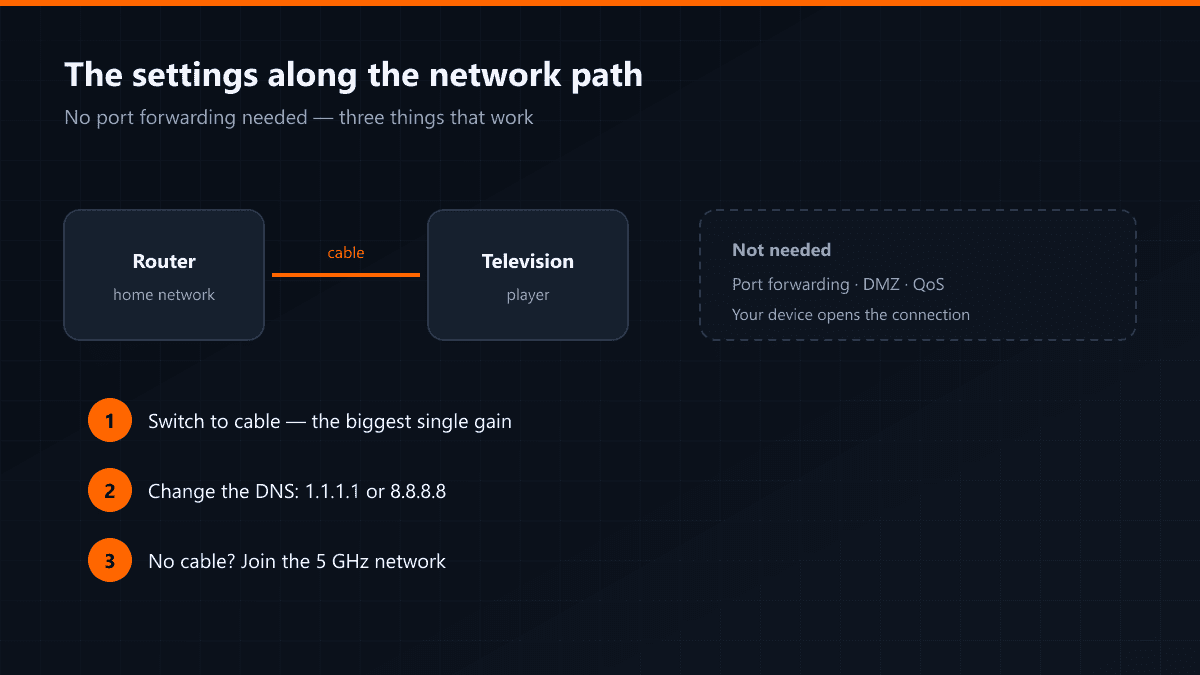
With IPTV your device opens the connection; nothing arrives from outside. Port forwarding, DMZ and firewall rules are therefore unnecessary. Opening them fixes nothing and exposes your home network for no reason.
The three settings that genuinely help
- 01Move to cableThe single biggest gain. Smart TV Wi-Fi receivers are weaker than the one in your phone, and a wall between router and television widens the gap further.
- 02Change the DNSIn the device's network settings, set the DNS to 1.1.1.1 or 8.8.8.8. Some providers resolve stream servers slowly, which stretches the time a channel takes to open.
- 03Switch to the 5 GHz bandIf a cable is impossible, at least use 5 GHz. The 2.4 GHz band travels further but is slower and far more crowded in a block of flats.
When the Wi-Fi channel is congested
In apartment buildings dozens of networks can share one channel, producing a slowdown that never shows in a speed test. Picking the channel by hand in the router interface, or re-running automatic channel selection, usually settles it. A stream that breaks up in the evening and behaves at midday is the classic symptom.
| Symptom | Where to look |
|---|---|
| Channels take a long time to open | DNS |
| Picture breaks into blocks | Wi-Fi / cable |
| Only bad in the evening | Channel congestion or provider load |
| Fine on some devices | That device's Wi-Fi receiver |
When mesh and powerline help
If the television is far from the router and cable is not an option, a mesh node or powerline adapter gets closest to a wired result. Powerline uses the electrical wiring; on old installations it loses efficiency, but between two rooms it usually beats Wi-Fi.
Leave QoS alone
Traffic prioritisation settings sound like the right tool, but on most home routers they are either ineffective or they cut total throughput. If cable, DNS and 5 GHz together do not solve it, the problem is not inside the house — that is the point to message support.