Freezing After an Hour: Heat and Memory
·5 min read
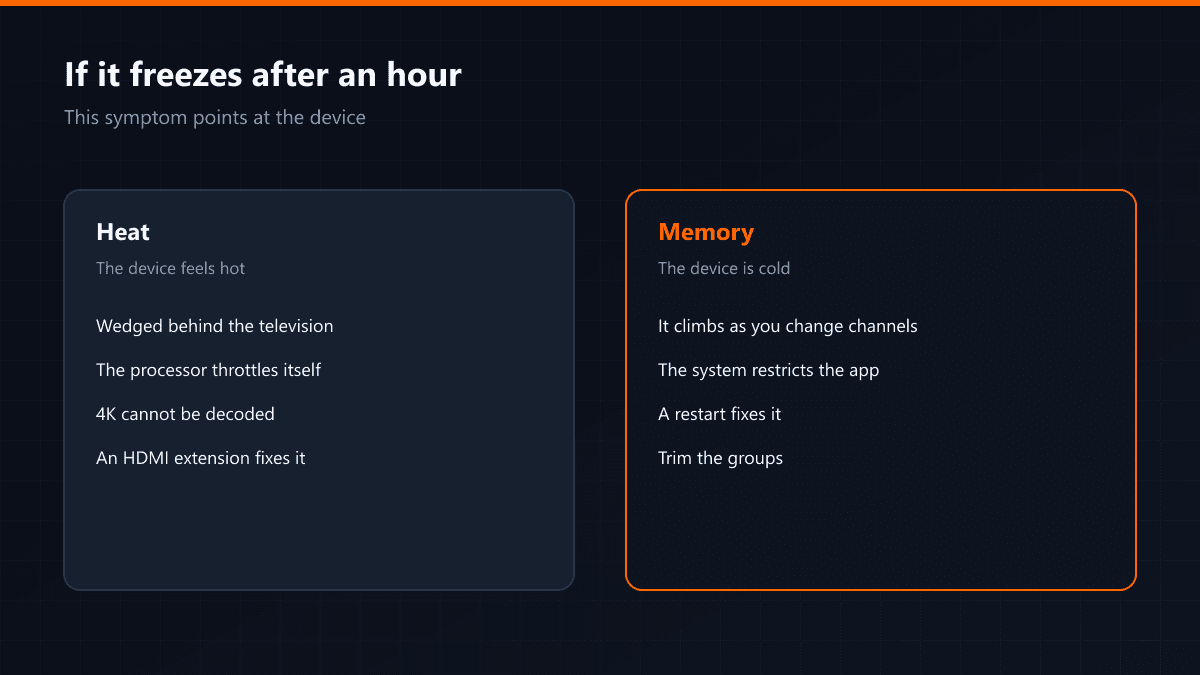
The first half hour is spotless, then the freezing starts and grows more frequent as the evening goes on. That symptom points at the device rather than the connection — and it has two separate causes.
First cause: heat
TV sticks and small boxes get wedged behind the television, usually into a gap with no airflow. When the processor heats up it lowers its own speed to protect itself, and a 4K stream cannot be decoded at that reduced speed. The symptom: the device is noticeably hot to the touch.
Second cause: memory
During a long session the player's memory use climbs, especially as you change channels. On a box with little memory that climb reaches the limit and the system starts restricting the app. The symptom: the device is not hot, but closing and reopening the app fixes it temporarily.
| Symptom | Cause | Fix |
|---|---|---|
| The device is hot | Overheating | Move it into the air on an HDMI extension |
| Cold, but a restart helps | Memory | Trim groups, clear the cache |
| Neither | The connection | See the general freezing guide |
The easiest fix for heat
A short HDMI extension cable lifts the device out of the cramped gap behind the television and into the air. That cable costs very little and ends heat-related freezing in most homes. Powering the device from the television's USB port adds to the heat as well — use its own adapter.