MAG Box Setup: Portal Address and MAC Address
·4 min read
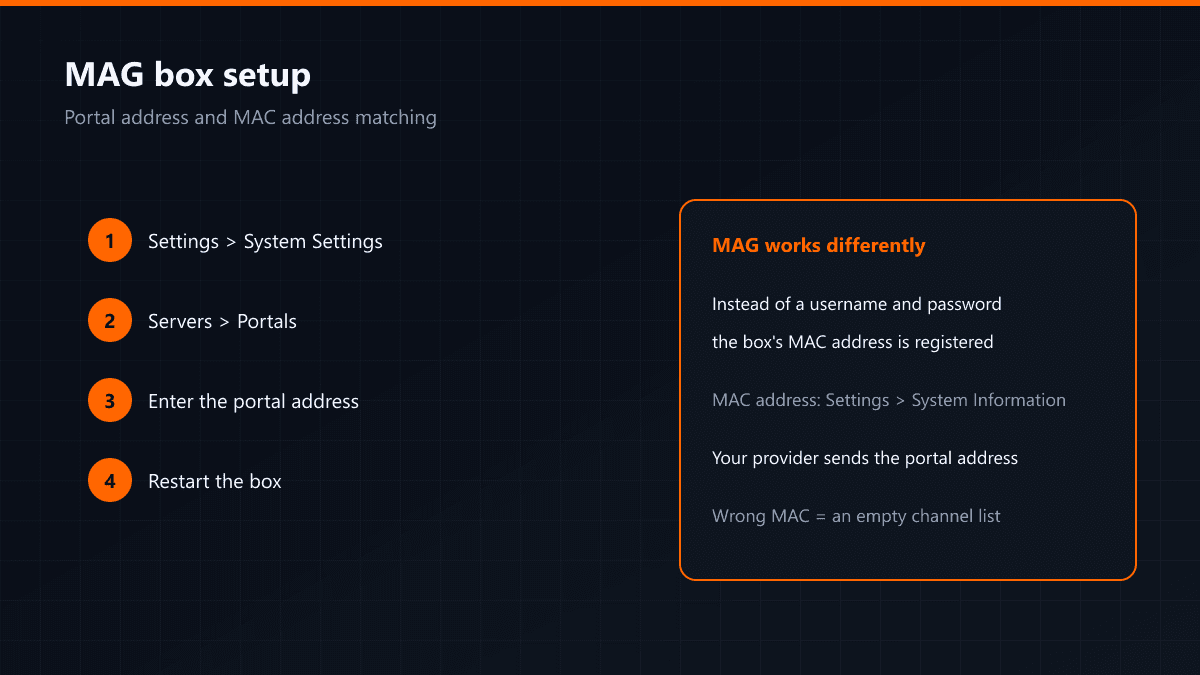
Setup on a MAG box works differently from other devices. You do not enter a username and password: the box's MAC address is registered on the server and all you type is the portal address.
Find your MAC address first
You can see the box's MAC address under Settings > System Information; it is usually printed on a label underneath the device as well. Send that address to your provider — it has to be registered against your line on the server.
Entering the portal address
- 01Open the system settingsFrom the main menu follow Settings > System Settings.
- 02Servers > PortalsGo into the portal list; usually two portals can be defined.
- 03Enter a name and the addressGive Portal 1 any name you like and type the portal URL your provider sent into the address field.
- 04Save and restartSave the settings and restart the box. The portal loads on start-up and the channel list appears.
If the channel list is empty
- The MAC address may be registered incorrectly: compare the one on the device with the one you sent.
- There may be a typo in the portal address; watch the trailing slash.
- Check the box's internet connection under Settings > Network and confirm it has an IP.
Clones of MAG devices are common. If the box is not genuine, some portal versions will not talk to it; ask about this before buying.
Why the MAC address matters
On MAG devices authentication happens through the hardware: the server recognises the line belonging to that MAC address. Two consequences follow. First, replacing the box means registering a new MAC address. Second, do not share your MAC address — your line is tied to it.
The portal loads but there are no channels
- The MAC address is not registered on the server, or was entered wrongly.
- The line has expired: the portal opens but no content comes through.
- The portal address is right but the version does not match — ask your provider for an alternative portal address.
Firmware version
When a MAG box's firmware falls behind, some portals stop working with it. Check under Settings > System Settings > Software Update. Do not cut the power during an update.
MAG or an Android box?
MAG devices were designed for IPTV and run steadily, but there is no choice of app — you watch whatever the portal serves. On an Android box you install the player you prefer. If you are buying new, the Android side is more flexible.