Watching IPTV on a PC: VLC and Desktop Players
·4 min read
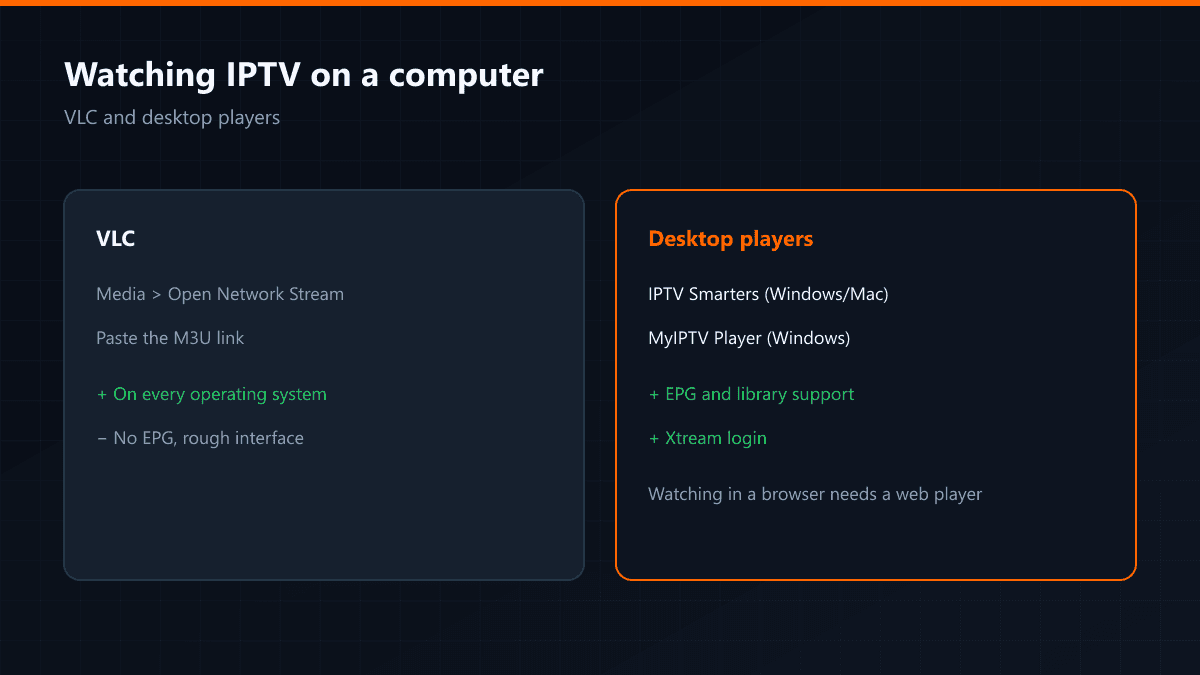
There are two ways to watch IPTV on a computer: with VLC, which is on every machine, or with a desktop player written for IPTV. The difference between them is not the interface — it is the guide and the library.
Watching in VLC
- 01Open VLCThe Windows, macOS and Linux builds all work the same way.
- 02Media > Open Network StreamFollow Media > Open Network Stream from the menu.
- 03Paste the M3U linkPaste your M3U link into the address field and press Play; the channel list opens.
VLC's advantage is that it is on every machine. Its disadvantages: no programme guide, weak channel search and no access to the film library.
Desktop IPTV players
| App | Platform | EPG | Xtream |
|---|---|---|---|
| IPTV Smarters | Windows, macOS | Yes | Yes |
| MyIPTV Player | Windows | Yes | Yes |
| VLC | Every platform | No | No |
If you will watch regularly, install a desktop player: the channel list is grouped, the guide arrives and the library opens as its own section.
Can you watch in a browser?
If your provider offers a web player, yes. If not, a browser alone is not enough — the stream formats are not always something a browser can open directly.
Saving the channel list in VLC
To stop VLC asking for the link at every launch, download the M3U file to the computer and open it by double-clicking. When the list changes you have to download the file again — which is exactly where a self-updating Xtream login saves you the work.
Full screen and shortcuts
- F: toggle full screen
- Space: pause (on library content)
- Ctrl + up/down: volume
- L: playlist loop
If the picture stutters
VLC keeps a network caching value under Tools > Preferences > Input/Codecs. The default is 1000 ms; raising it to 3000 ms on a fluctuating connection cuts the freezing noticeably.
When is a computer the right choice?
As a second screen, for a news channel while you work, or in an HTPC setup wired to the television. As the main device the television is both more comfortable and steadier; a computer is affected by everything else running on it.