Troubleshooting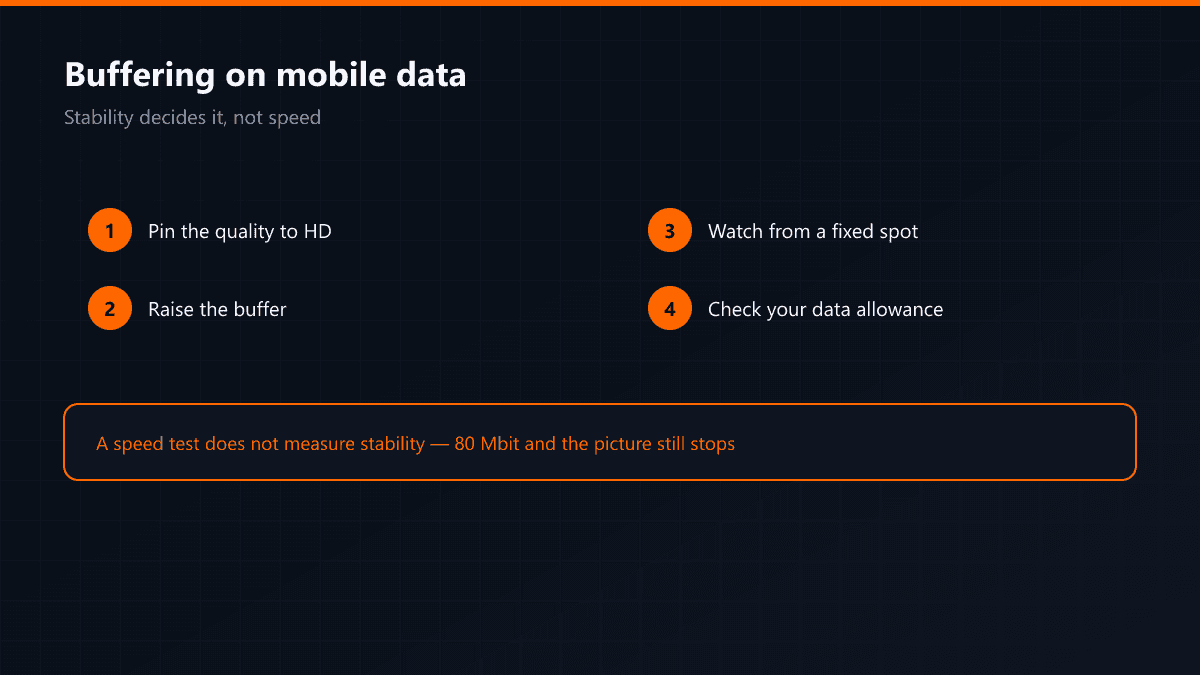
Buffering on Mobile Data but Not on Wi-Fi
·5 min read
A stream that is spotless at home stutters outside on mobile data, and the speed test says 80 Mbit. It looks like a contradiction and it is not: on a mobile line what decides the result is stability rather than speed, and a speed test does not measure stability.
Three causes
- Cell handover: while you move, the phone changes base station, and the connection drops for half a second at that moment. For a stream that is enough.
- Throttling after a cap: when the allowance runs out the speed is cut, and that cut shows late in a speed test.
- Variable latency: on a mobile line latency is not constant; in a busy cell it can double within the same second.
What can be done
- 01Pin the qualityFix the resolution to HD in the player's settings. Automatic quality keeps stepping up and down on a mobile line, which increases freezing.
- 02Raise the bufferOn a mobile line a large buffer is the right choice: the half-second gap at handover disappears inside it.
- 03Stay stillWatching in a car or on a train makes handover continuous. At a fixed spot the result improves noticeably.
An HD stream on mobile data uses roughly 1.5 GB an hour. Lowering the quality does not only reduce freezing — it doubles what your allowance covers.