The IPTV App Hangs or Crashes on Launch
·4 min read
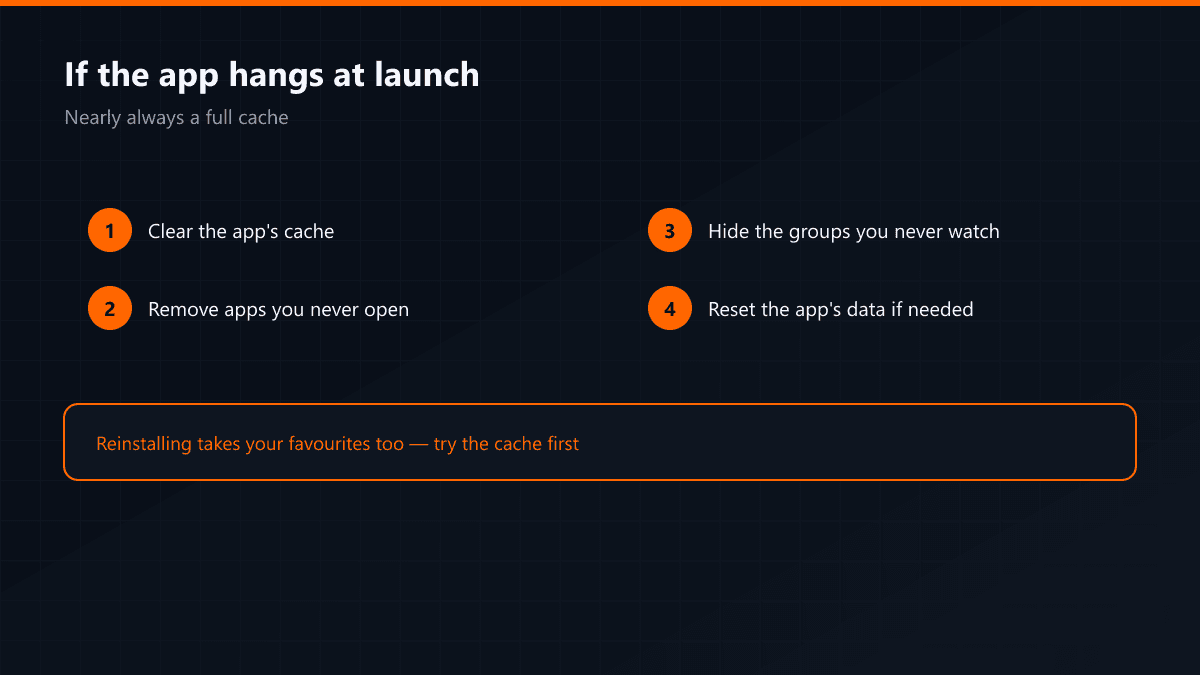
The app worked yesterday and today it hangs at launch or closes itself. That symptom nearly always points at the same thing: the device's storage or the app's cache has filled up.
Why it happens over time
The player writes the channel list and the programme guide to the device. With 17,000 channels that is not a small amount of data, and the cache grows a little with every refresh. Because storage on TV boxes is tight to begin with, the limit arrives within a few months.
What to try, in order
- 01Clear the app's cacheSettings > Applications > the app > Clear cache. The list downloads again but your settings stay.
- 02Remove apps you never openFull storage causes crashes that have nothing to do with the app itself.
- 03Trim the groupsHiding countries you never watch shrinks the list, and the memory and storage load fall directly.
- 04Reset the app's dataIf clearing the cache is not enough, "Clear data" returns the app to its first day. You will have to enter the Xtream details again.
If it still crashes
Install another player with the same details and try it. If the problem shows in one app only, the stream is not at fault; if it shows in all of them, the device is short of memory and the groups need trimming permanently.
Deleting and reinstalling the app clears the cache but also takes your favourites and channel order with it. Try clearing the cache first.