4K Channels Will Not Play: Device or Line?
·5 min read
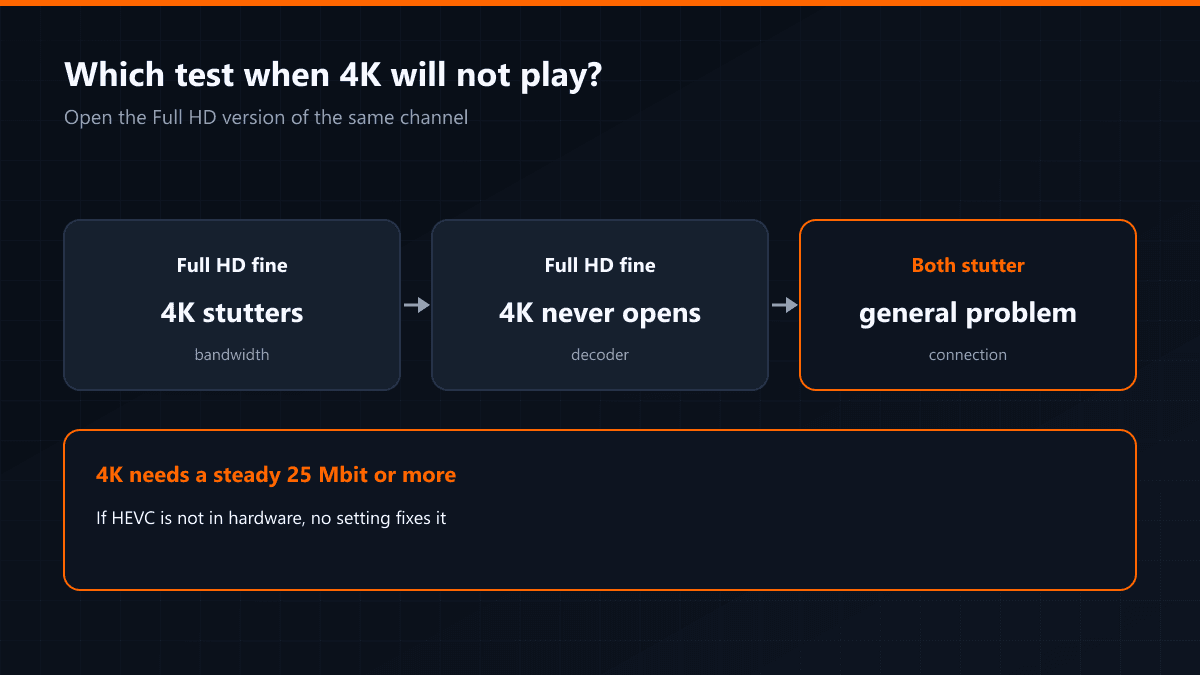
If a 4K channel will not open, or stutters every few seconds, there are two possibilities and they separate easily. The test is simple: open the Full HD version of the same channel.
The test
| Full HD version | 4K version | Conclusion |
|---|---|---|
| Fine | Stutters | Bandwidth is short |
| Fine | Never opens | The device cannot decode HEVC |
| Also stutters | Stutters | A general connection problem |
The bandwidth side
A 4K stream needs a steady 25 Mbit or more. The word that matters is steady: a line showing 100 Mbit but fluctuating gives a worse result in 4K than a constant 30 Mbit. Run the test in the evening and from the room where the television sits.
The decoder side
4K streams are almost always compressed with HEVC (H.265). Older TV boxes cannot decode that in hardware, and when they try in software the processor cannot keep up. The symptom is unmistakable: the picture either never appears or advances frame by frame. This is not something a setting fixes — it is the device's limit.
Do not forget the television
Even where the box outputs 4K, a television without an HDMI 2.0 port drops to 30 Hz and motion looks like stutter. On older sets, choosing the Full HD version of a channel gives a smoother result than the 4K one.