IPTV on Fire TV Stick: Installing Apps with Downloader
·5 min read
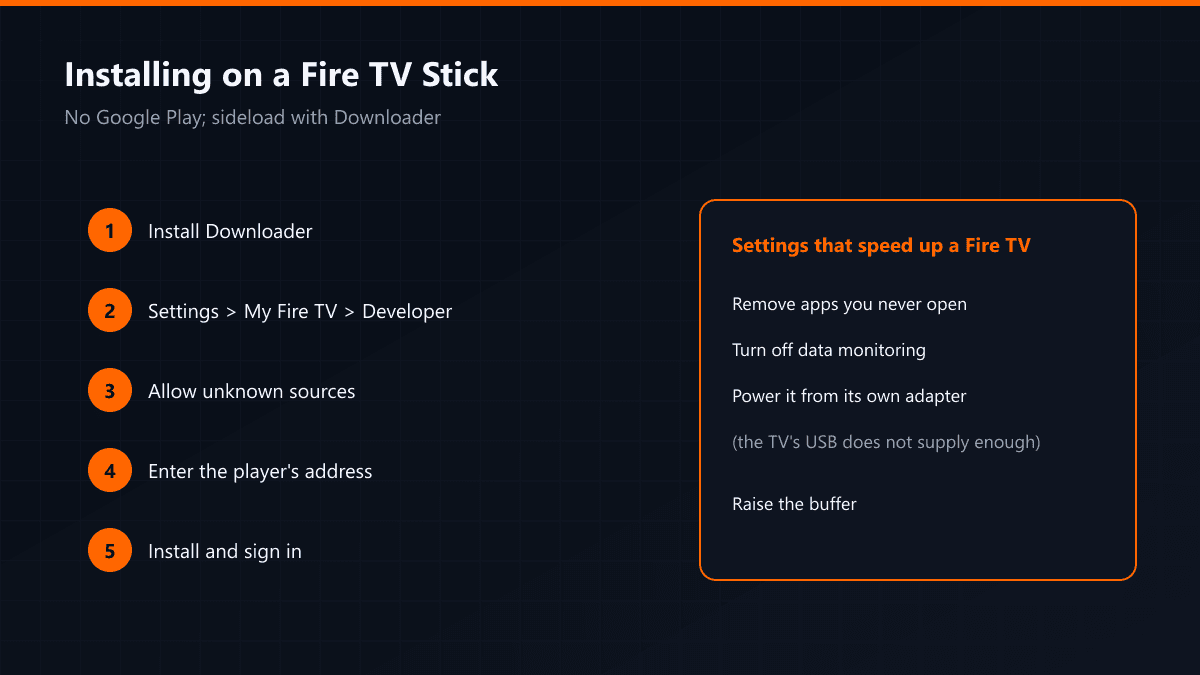
The Fire TV Stick has no Google Play, so IPTV apps cannot be installed straight from a store. The route is sideloading through the Downloader app. The steps below are the same on a Fire TV Stick and a Fire TV Cube.
Setup steps
- 01Install DownloaderSearch the Amazon app store for Downloader and install it.
- 02Allow unknown sourcesGo to Settings > My Fire TV > Developer Options, turn on "Apps from Unknown Sources" and allow Downloader in the list.
- 03Download the playerOpen Downloader and enter the address of the player's installer. TiviMate also has a build in the Amazon store; where it is available, installing from there is easier.
- 04Install and sign inOnce the install finishes, open the app and enter your Xtream Codes details.
Three settings that speed up a Fire TV
- Remove apps you do not use; the Fire TV Stick has limited storage.
- Turn off data monitoring in the settings.
- Power the device from its own adapter rather than the television's USB port — USB rarely supplies enough current.
Which Fire TV model?
| Model | Resolution | Note |
|---|---|---|
| Fire TV Stick Lite | Full HD | Budget option, no 4K |
| Fire TV Stick | Full HD | Enough for everyday use |
| Fire TV Stick 4K | 4K | The one to buy for 4K streams |
| Fire TV Cube | 4K | Fastest, and it has an Ethernet port |
If you are not watching 4K, the standard model is enough. What sets the Cube apart is the Ethernet port: a wired connection makes a visible difference at kick-off.
The storage problem
Fire TV Sticks have small storage, and the app cache swells as the channel list grows. The symptom is an app that hangs on launch or a list that loads slowly. The fix is to clear that app's cache under Settings > Applications > Manage Installed Applications. Removing apps you never open frees space too.
A remote shortcut
Holding the home button on the Fire TV remote opens the quick menu, and switching apps from there is faster than searching. Put the IPTV app in favourites and it opens in two presses.
Do not power the device from the television's USB port. Most USB ports do not supply enough current, and that causes random restarts mid-stream. Use the adapter in the box.