How Much Internet Speed Does IPTV Need?
·4 min read
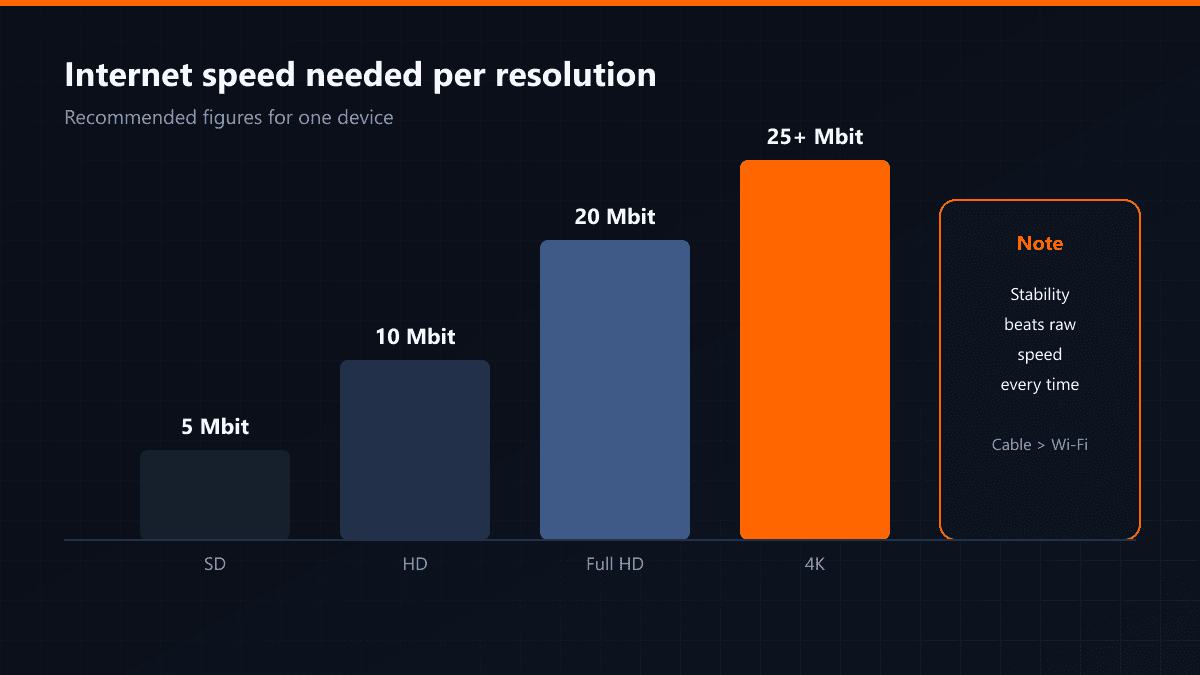
The internet speed IPTV needs depends on the resolution of the stream. The figures below are per device; if other things in the house are using the connection at the same time, you have to add to them.
| Resolution | Recommended speed | Note |
|---|---|---|
| SD | 5 Mbit | Older channels and local broadcasts |
| HD | 10 Mbit | Most everyday watching |
| Full HD | 15-20 Mbit | Comfortable for sport |
| 4K | 25 Mbit and above | A wired connection is advisable |
What matters more than speed
Stability. A 100 Mbit line that fluctuates freezes more than a steady 20 Mbit one. A stream wants a constant flow; the moment the rate drops the buffer empties and the picture stops.
Wi-Fi or cable?
Cable if you can. The built-in Wi-Fi receivers in Smart TVs are weaker than the one in your phone, and a wall between the router and the television widens the gap. Where cable is impossible, moving the set closer or joining the 5 GHz network helps.
How to measure your speed
Run the test on the device you will actually watch on, not on your phone. A measurement from the television's own browser shows the real situation; what the phone receives is not what the television receives.
When several devices share the line
The figures above are for one device. With a second television, phones and a computer connected at the same time you have to add them up. A practical rule: total the requirements of the streams you will run and add 10 Mbit for the rest of the household.
Does upload speed matter?
No — download is what decides this. Upload only speaks up for things like video calls. An asymmetric line, with high download and low upload, is not a problem for IPTV.
Measuring properly
- 01Test on the device you watch onA measurement from the television's browser shows the real situation. What the phone receives is not what the television receives.
- 02Test in the eveningA line showing 80 Mbit in the morning can drop to 20 Mbit at nine in the evening. The evening figure is the one that concerns you.
- 03Repeat it a few timesA single test says nothing about stability. Three tests five minutes apart show you the fluctuation.
If the speed is fine but the stream still stutters, the problem may be latency or packet loss rather than bandwidth. In that case server location and DNS settings matter more than megabits.