Abroad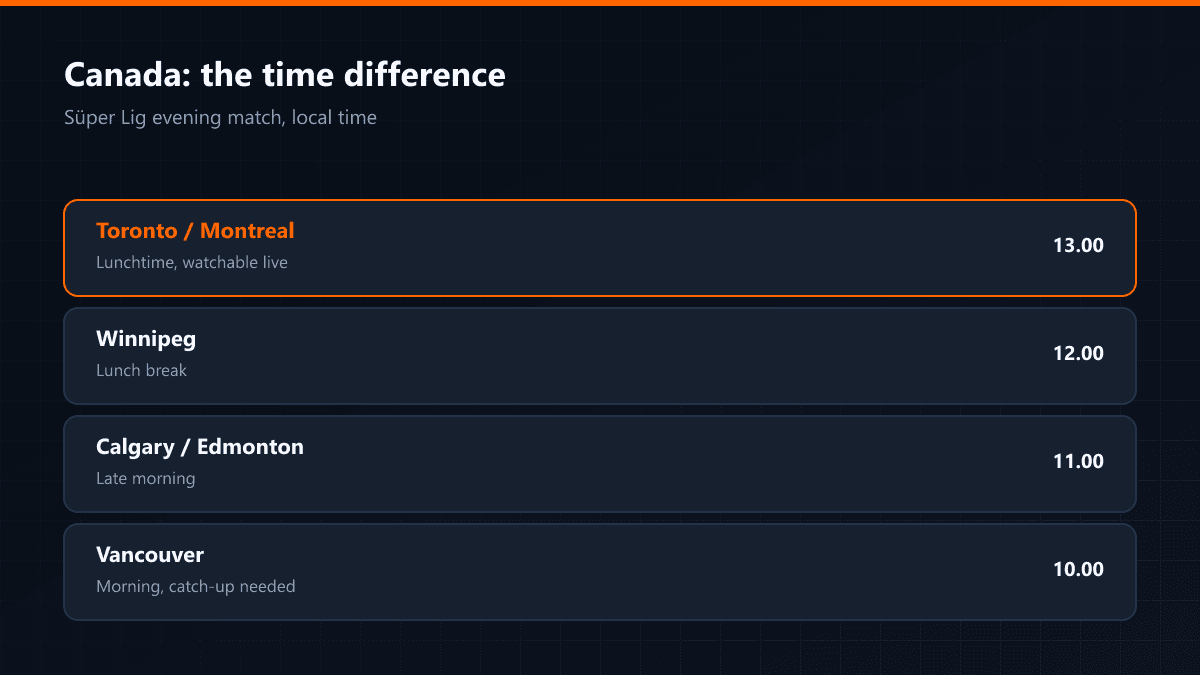
IPTV and Turkish Channels in Canada
·5 min read
An IPTV setup in Canada has two particular features, and both differ from Europe: the time difference is large, and a meaningful share of internet packages still carry a data cap. Those two are what to look at before anything else.
Time difference and kick-off times
| Region | Gap to Turkey | Süper Lig evening match | In practice |
|---|---|---|---|
| Toronto / Montreal | -7 hours | around 13.00 | Lunchtime, watchable live |
| Winnipeg | -8 hours | around 12.00 | Lunch break |
| Calgary / Edmonton | -9 hours | around 11.00 | Late morning |
| Vancouver | -10 hours | around 10.00 | Morning |
The data cap question
Many Canadian packages carry a monthly data limit and charge extra once it is passed. IPTV goes straight into that calculation: a Full HD stream uses roughly 3 GB an hour and a 4K stream more than 8 GB. A household watching four hours of Full HD a day uses around 300 GB a month.
- Check the monthly limit in your contract
- Do not leave quality on automatic; fix it at Full HD
- Use 4K only where it genuinely changes what you see
- Check your remaining allowance once mid-month
Setup steps
- 01Check the line and the cap togetherEven with enough speed, an insufficient cap means throttling at the end of the month. Both numbers have to be seen together.
- 02Set up the device and enter the detailsAndroid TV, Fire TV or Apple TV — the setup follows the same steps.
- 03Set the guide's time zoneCanada has six time zones. If the player's time zone is not set to your region, every time in the guide looks shifted.
- 04Turn catch-up onLate matches in Turkey land in the Canadian morning. Channels with archive recording effectively remove that gap.
A match kicking off at 22.00 in Turkey is played before noon in Vancouver. For a viewer working weekdays, live viewing is often impossible; in those households catch-up is the most important part of the setup.