Catch-Up TV on IPTV: Watching the Last 7 Days
·3 min read
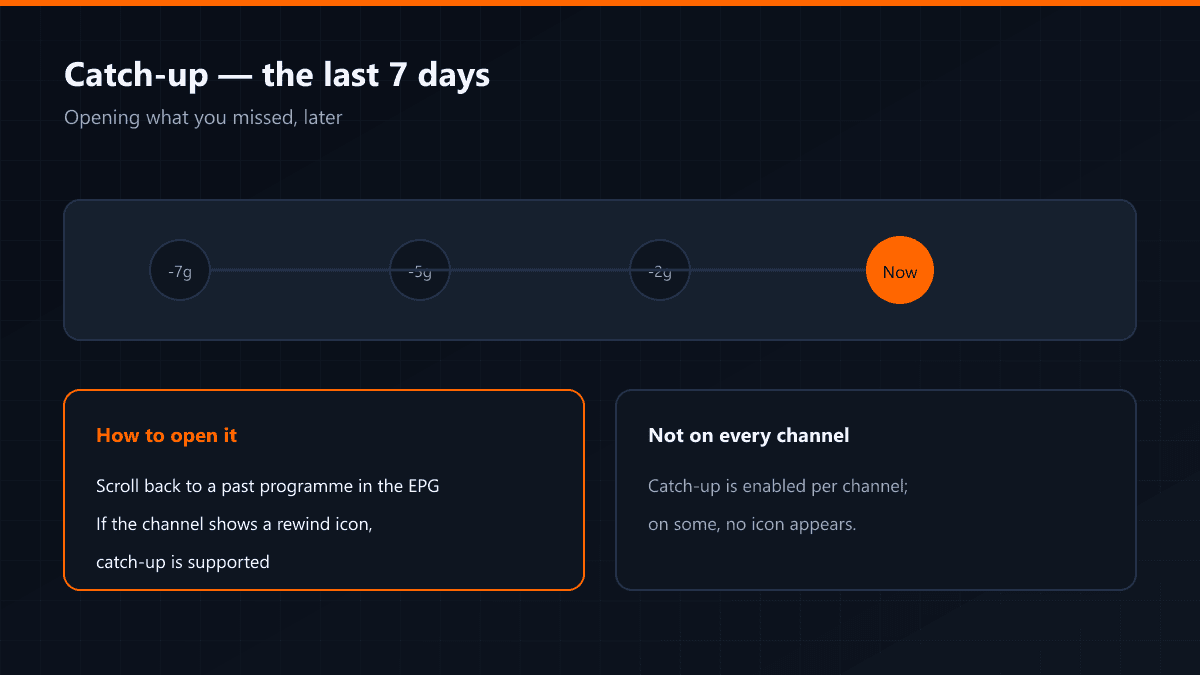
Catch-up is the feature that lets you watch a broadcast after it aired. On supported channels the last seven days are held on the server, and you reach them by scrolling back through the guide. The match or episode you missed is often still there.
How to open it
- 01Open the channel's guideOn the channel you want, open the EPG.
- 02Scroll back to a past programmeMove backwards along the timeline and land on the programme you want.
- 03Press the catch-up iconIf the programme supports it, a rewind or play icon appears. Pressing it opens the recording.
Not every channel has it
Catch-up is enabled per channel. If the icon does not appear, that channel does not support it — it is neither your settings nor the app at fault.
Do not confuse it with recording
Catch-up plays what the server has kept; recording saves to your own device. Apps like TiviMate premium have recording separately, and it is not bound by the seven-day limit.
Where it earns its keep
- Watching the match you missed the next day
- Opening an episode when it suits you rather than when it airs
- Rewinding part of a news bulletin to hear it again
- Living in another time zone and watching, in daylight, what ended at midnight
What it looks like in the app
When you move into past hours in the EPG, a small rewind or play icon appears beside supported programmes. No icon means nothing was kept for that channel or that slot. TiviMate can also filter catch-up-capable channels into their own group in the list.
Why seven days?
Recordings take space on the server, and keeping every channel indefinitely means serious storage. Seven days is the industry's common balance: almost everything that gets watched late gets watched inside that window.
Does internet speed matter here too?
Yes, but with more slack than live. Because the recording sits on the server, the player can buffer further ahead — something live broadcast does not allow — which makes catch-up more forgiving on a fluctuating line.